What is ProfessionalHeadshot.io
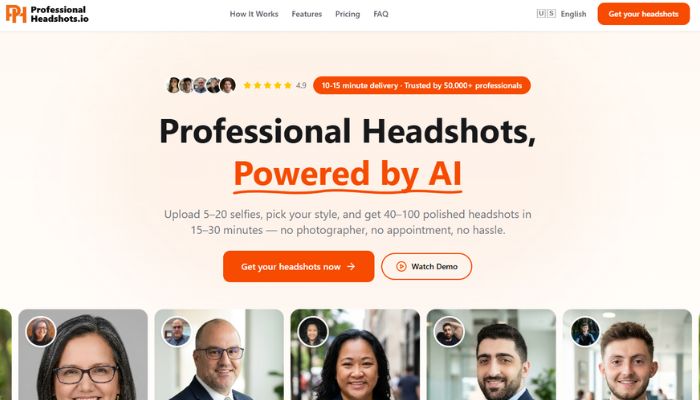
ProfessionalHeadshot.io is an AI powered headshot generator that converts everyday photos into professional looking portraits. Instead of scheduling a photography session, users upload several photos of themselves and allow the platform to generate a set of professional headshots.
The process is simple. You upload between 5 and 20 photos, select a preferred style and background, and the system trains a temporary model based on your facial features. After processing, the tool generates multiple headshot variations that can be used on platforms such as LinkedIn, company websites, or professional profiles.
AI generated headshots have become increasingly common as remote work and digital networking continue to grow. For many professionals, a polished profile photo is an important part of online credibility. Tools like ProfessionalHeadshot.io aim to make this process faster and more affordable compared with traditional studio photography.
This review examines how the platform works, its key features, advantages, limitations, and whether it is a practical option in 2026.
Key Features of ProfessionalHeadshot.io
Personalized AI Model Training:
The platform creates a temporary AI model based on the photos you upload. Instead of placing your face on a generic template, the system attempts to learn facial structure, expressions, and lighting patterns from your images.
The goal is to produce portraits that resemble natural photos rather than edited composites. The quality of the results depends heavily on the variety and clarity of the source photos you provide.
Multiple Headshot Variations:
Depending on the plan selected, users receive dozens of generated headshots from a single session. These variations typically include different outfits, backgrounds, and facial angles.
Having multiple options can be useful because different platforms require different photo styles. A formal headshot might be appropriate for LinkedIn, while a more relaxed image may suit a personal website or speaking profile.
Style Categories for Different Industries:
ProfessionalHeadshot.io includes several preset style categories that are designed for professional contexts such as business, technology, medical, and legal fields.
These styles mainly adjust clothing appearance, background settings, and overall tone so the photos appear suitable for specific professional environments.
Background and Scene Options:
Users can select from several background environments such as studio style backdrops, office environments, or neutral indoor settings.
Backgrounds can influence how professional a headshot appears. While AI generated backgrounds may not always match the realism of a physical studio, they provide flexibility for users who want a consistent look across multiple images.
Pose Variations:
Many of the generated portraits include multiple pose angles. These may include a direct front facing portrait along with slight left or right angles.
This feature helps users choose images that fit different layout requirements across social platforms or websites.
Regeneration Options:
Most plans include regeneration credits that allow users to regenerate specific headshots. If a generated image does not look natural or accurate, credits can be used to create alternative versions.
This adds flexibility since AI generated images can occasionally produce inconsistent results.
Privacy Controls:
According to the platform, uploaded images are used only to generate the headshots and are deleted after a period of time. The service also states that photos are not used for training future models.
Privacy considerations are important for AI tools that process facial data, so users should always review the platform’s privacy policy before uploading personal images.
Advantages of Using ProfessionalHeadshot.io
Faster Than Traditional Photography:
One of the main benefits is speed. Traditional headshot photography typically involves scheduling a session, traveling to a studio, and waiting for edited images.
AI headshot generators can produce results within minutes after photos are uploaded. For professionals who need a quick profile update, this can be convenient.
Lower Cost for Individuals:
Professional photography sessions can be expensive depending on location and photographer experience. AI generated headshots are usually priced significantly lower.
For students, freelancers, or early career professionals, this may provide an affordable way to obtain a professional profile photo.
Multiple Photos From One Session:
Traditional photography sessions often deliver a limited number of edited images. AI tools usually generate many variations from a single upload.
This gives users a broader selection of images for different uses such as professional profiles, conference pages, or company websites.
Accessible From Any Location:
Because the platform operates entirely online, users can generate headshots without visiting a studio. This may be helpful for remote workers or professionals who do not have easy access to professional photographers.
Limitations of ProfessionalHeadshot.io
Results Depend on Input Photos:
AI generated portraits rely heavily on the quality of uploaded images. If photos are poorly lit, low resolution, or taken from similar angles, the generated results may appear inconsistent.
Providing clear photos with varied lighting and angles usually improves the final output.
Background Realism Can Vary:
While AI backgrounds can look convincing in many cases, they may occasionally appear artificial. For high profile marketing materials or company branding, a traditional studio photograph may still look more natural.
Limited Creative Control:
ProfessionalHeadshot.io focuses mainly on standard professional portraits. It is not designed for creative photography, lifestyle portraits, or editorial images.
Users seeking highly customized photography or artistic direction may prefer working with a professional photographer.
Occasional AI Artifacts:
Like many AI image tools, generated images may sometimes contain small visual artifacts. These might include unusual textures, lighting inconsistencies, or slightly unnatural details.
Reviewing the results carefully and using regeneration options can help address these issues.
Who Should Use ProfessionalHeadshot.io
Job Seekers:
Professionals updating their LinkedIn profile or online resume may benefit from a polished headshot. A clear and professional photo can help create a stronger first impression when networking or applying for jobs.
Freelancers and Consultants:
Freelancers often use profile photos on websites, portfolios, and proposal documents. Consistent professional images can help strengthen personal branding across these platforms.
Small Business Teams:
Small businesses sometimes need consistent headshots for team pages. AI generated portraits allow team members to create images independently without coordinating a group photography session.
Remote Professionals:
For people working remotely across different locations, an online headshot generator can offer a practical alternative to in person photography.
Pricing Overview
- ProfessionalHeadshot.io offers a one time payment model rather than a subscription.
- Plans generally vary based on the number of generated headshots, available styles, and processing speed. Lower priced plans provide a smaller number of headshots, while higher tier plans include more variations and additional regeneration options.
- Prices can change over time, so users should check the official website for the most current pricing information.
- Compared with traditional photography sessions, the cost is typically lower. However, users should consider whether AI generated images meet their professional needs before choosing a plan.
Compatibility and Workflow
ProfessionalHeadshot.io runs as a web based platform and does not require additional software installations. Users simply upload images through a browser and download the finished portraits once processing is complete.
The generated images can be used across common professional platforms including LinkedIn, company websites, presentation slides, and digital portfolios.
For users working with other visual tools, these headshots can also be edited further using software in the AI image tools category such as photo enhancement or background editing platforms.
Professionals who manage online branding workflows may also combine these images with platforms in the AI productivity tools category to streamline profile updates, marketing assets, and personal branding tasks.
Tips for Better Results
- To improve the quality of generated headshots, it helps to follow a few basic guidelines when selecting photos.
- Choose clear images with good lighting. Natural daylight often produces better results than dim indoor lighting.
- Include a mix of angles and expressions so the system can learn more about your facial features.
- Avoid heavy filters, sunglasses, hats, or photos where your face is partially covered.
- Providing diverse source images generally leads to more realistic outputs.
Getting Started
- Using ProfessionalHeadshot.io typically involves three basic steps.
- First, upload several photos that clearly show your face from different angles.
- Second, select preferred style categories and background options.
- Third, allow the platform to generate your headshots and download the results once processing is complete.
- Users can review the images, select their preferred portraits, and regenerate any results that appear inaccurate.
Conclusion
ProfessionalHeadshot.io provides a convenient option for creating professional headshots without scheduling a photography session. The platform focuses on generating multiple portrait variations quickly using uploaded photos.
Its main strengths are accessibility, speed, and lower cost compared with traditional photography. At the same time, users should keep realistic expectations about AI generated images, particularly when it comes to background realism and occasional visual inconsistencies.
For professionals who need a simple and affordable way to update their online profile photo, the platform can be a practical tool. Those who require highly customized portraits or premium marketing images may still prefer working with a professional photographer.
Overall, ProfessionalHeadshot.io reflects a growing trend in AI assisted photography where basic professional imagery can be generated quickly through automated tools.