What is Clawdi?
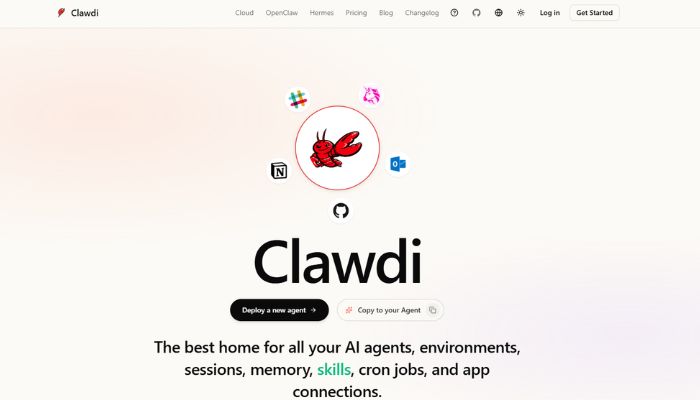
Clawdi is a fully managed, cloud-hosted AI agent platform that gives individuals, founders, and small teams access to a powerful personal AI assistant without any of the technical setup that normally makes tools like this frustrating to use. It launched in early 2026 and is built on top of OpenClaw, one of the fastest-growing open-source AI agent frameworks available today. If you’ve ever tried to set up a local AI agent and given up halfway through a Docker configuration file, Clawdi is essentially that same technology handed to you ready to go in about three minutes.
The platform’s core value is simple: your AI agent lives in the cloud, remembers everything, connects to the apps you already use, and executes real tasks, not just chat responses. It handles things like drafting replies, processing inboxes, running scheduled jobs, researching the web, automating browser workflows, and syncing data across tools. In a 2026 landscape where agent technology is moving fast but setup friction still chases away most non-technical users, this Clawdi review 2026 matters to anyone who’s wanted this kind of automation but never quite got there.
What separates Clawdi from most AI productivity tools is its architecture. Each user’s agent runs inside its own Intel TDX hardware-encrypted virtual machine, powered by Phala’s confidential compute infrastructure. This isn’t just a privacy marketing claim. It’s a cryptographically verifiable guarantee. Your data, your API keys, and your agent’s activity are isolated from even the platform’s own infrastructure.
Key Features of Clawdi
Zero-setup deployment is probably the most important thing Clawdi gets right. Getting a fully functional OpenClaw agent running locally usually takes hours of terminal work and Docker configurations. Clawdi compresses all of that into a guided onboarding flow that takes roughly three minutes, no command line or infrastructure knowledge required.
Persistent memory across sessions means your agent actually learns how you work over time. Most AI tools start fresh every conversation, but Clawdi retains context, preferences, and workflow history. By week four, it feels less like a chatbot and more like an assistant who’s been on your team for a while.
TEE-backed security and privacy sets Clawdi apart from typical cloud AI tools. Every agent instance runs inside a Trusted Execution Environment, a hardware-level enclave where your data, API keys, and browser activity are cryptographically isolated, even from Phala’s own infrastructure.
Multi-channel integration lets your agent live inside the messaging apps you already use. Clawdi connects to WhatsApp, Telegram, Slack, iMessage, and more, so you can send instructions from wherever you’re already working without opening a separate dashboard.
Agent templates remove the repetitive work of configuring a new agent from scratch. You pick a pre-built template tuned for a specific workflow type, whether that’s content research, customer support, or internal ops, and the agent is ready to go with the right skills already set up.
Cron jobs and scheduled automations let your agent run tasks in the background on a schedule. Pull a weekly report, monitor a competitor’s site, process new emails every morning. The agent handles it without you needing to trigger anything manually.
The Control UI gives you a live window into your agent’s environment. You get a Files tab for editing the workspace, a Logs tab that streams activity in real time, and on Pro and Max plans, a Terminal tab with direct shell access for debugging and installing tools.
500+ app connections mean your agent can reach into most of the tools your business already runs on. From CRMs and project management platforms to email, calendars, GitHub, and analytics tools, Clawdi handles the connective layer that makes multi-step workflows possible without custom code.
Advantages of Using Clawdi
The most immediate win is cost and setup time. Running a capable AI agent locally could cost over $100 per day in compute. Clawdi brings that down to $29 per month flat, including hosting, infrastructure management, and updates. For small teams, it turns AI automation into a tool budget line, not an infrastructure project.
The memory model compounds over time. The more you use it, the better it knows your workflows and the less instruction it needs. This is especially useful for founders and operators running lean, where the agent gradually takes on coordination work that would otherwise fall on a person.
For teams in legal, finance, or operations, the TEE-based privacy architecture removes the biggest blocker to adoption. You don’t have to trust the provider’s word. The privacy guarantee is cryptographically verifiable, which clears the security review that usually slows down tool adoption in sensitive business environments.
Who Should Use Clawdi?
Founders and solo operators are the clearest fit. If you’re running a business with real workflow complexity but don’t have the headcount for coordination roles, Clawdi handles the connective tissue between your tools so you can stay focused on decisions.
Content operators and growth teams who deal with high-volume repetitive tasks will get the most out of the scheduling and automation features. The agent runs workflows in the background and delivers outputs for human review, rather than requiring constant manual triggering.
Product managers dealing with feedback triage and cross-functional coordination will find it particularly useful. The ability to go from a screenshot or conversation to a structured, routed task without opening a project management tool is a small time saving that adds up fast across a full quarter.
Small teams in legal, finance, or healthcare who need AI automation but can’t compromise on data security will find the TEE architecture genuinely differentiated. If you’re exploring options in this space, it’s also worth checking the AI automation and productivity tools directory on IndevAI to compare what’s available for your workflow.
Pricing of Clawdi in 2026
Clawdi operates on a freemium model. A free tier is available for getting started without a credit card. Paid plans begin at $29 per month, which includes fully managed cloud hosting, the complete OpenClaw feature set, and TEE-secured compute. Higher-tier plans (Pro and Max) unlock Terminal access inside the Control UI and expanded resource limits for heavier workloads.
For most individuals and small teams, the entry paid tier covers the core use cases well. Enterprises with more complex infrastructure requirements may want to evaluate the higher-tier options or reach out to the Clawdi team directly.
Pricing subject to change. Visit the official website for current rates.
Real World Use Cases
A product manager at a small SaaS company uses Clawdi to automate the first pass of user feedback triage. When a support ticket comes in, the agent reads it, categorizes the feedback, and creates a structured ticket assigned to the right engineer. What used to take 30 minutes of daily context switching now happens passively in the background.
A content operator running social media for a B2B brand uses Clawdi to monitor target accounts on X and draft contextually relevant replies for human review. The agent reads thread context, matches the brand’s tone, and queues drafts that take seconds to approve. The workflow that previously required deep tab switching collapses into a fast approval queue.
A founder running business intelligence across a small team uses Clawdi to handle the weekly reporting cycle. The agent pulls data from connected tools, formats it into a structured report, and surfaces the items that need a decision. What used to require someone holding everything in their head becomes a system that runs on its own.
A freelance researcher uses the platform to run scheduled monitoring jobs on competitor pricing and industry news. The agent delivers structured summaries on a cadence, so the researcher spends time on analysis rather than collection.
Integrations and Compatibility
Clawdi connects to over 500 applications through its integration layer, covering most major platforms in a modern business workflow. Messaging channels including WhatsApp, Telegram, Slack, and iMessage serve as the primary interfaces for giving the agent instructions. On the productivity side, it connects to email clients, calendar tools, CRMs, GitHub, and project management platforms.
The integration layer is designed to be extended. One-click connections keep it accessible for non-technical users, while the API and terminal access on higher-tier plans give developers the ability to build custom integrations beyond the default library. In a 2026 environment where most workflows span five or more tools, this breadth of connectivity is what makes Clawdi a genuine orchestration layer rather than just another single-purpose productivity app.
Why Clawdi Stands Out in 2026
Most AI agent tools in 2026 fall into one of two categories: powerful but technically demanding open-source setups, or simplified cloud tools that strip out the capabilities that make agents actually useful. Clawdi’s positioning is that you shouldn’t have to choose. It delivers the full capability of a sophisticated open-source agent framework without the setup burden or security tradeoffs that come with running it locally.
The TEE-based architecture is a genuine differentiator. Most managed AI platforms ask users to trust their privacy claims. Clawdi’s approach puts every agent in its own hardware-encrypted enclave with cryptographic attestation, which changes the trust model entirely. That matters more as AI agents get more capable and more deeply integrated into sensitive workflows.
The decoupled environment model is also worth understanding. Your memory, skills, API keys, and app connections live in Clawdi independently of whichever agent framework is running underneath. When a better framework ships, and in this space something new ships constantly, you can swap the engine without losing your configuration. That kind of portability is rare and practically valuable.
How to Get Started with Clawdi
Visit clawdi.ai and create an account. The free tier is available without a credit card, so you can explore the platform before committing to a paid plan.
Once you’re in, the onboarding flow walks you through launching your first agent. Pick a template that matches your primary use case, whether that’s inbox management, content operations, research automation, or general task coordination. The template pre-configures the agent’s skills and reasoning mode so you’re not making decisions from scratch.
From there, connect the apps you want your agent to work with. The one-click integration process handles authentication, so you’re not managing API keys manually. Link your email, your Slack workspace, your CRM, or whatever tools are central to your workflow.
Once your agent is live, start with one specific task you do manually and repeatedly. Ask the agent to handle one step of that process, review the output, and refine the instruction. The persistent memory model means each interaction improves the agent’s understanding of how you work, so early investment in clear instructions pays off over time.
Conclusion
Clawdi is one of the more practically useful AI agent platforms available in 2026, not because it’s the most feature-rich on paper, but because it actually removes the barriers that stop most people from using this kind of technology in their work. It’s built for founders, operators, content teams, and professionals who need AI automation that’s secure, persistent, and genuinely hands-off to maintain. If you’ve looked at open-source agent frameworks and decided the setup cost wasn’t worth it, Clawdi is a direct answer to that friction. Head to clawdi.ai to explore the free tier and see what workflows you can offload in the first week.